PDF Hub - Read PDF: fast, focused mobile PDF reader
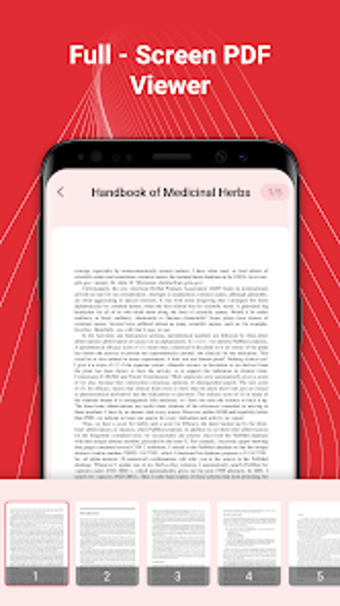
PDF Hub - Read PDF, developed by SangAsla, is an Android reader built to open and display PDF documents quickly for work and study. The app focuses on fast rendering, device-wide PDF indexing, text search and bookmark management to speed retrieval and review. It also provides sharing, direct printing, and a night mode. Suited to students, office professionals, and casual users who need a compact, reading-focused mobile tool.
A lean reader that prioritizes quick access and minimal setup
The app opens documents with fast PDF rendering and performs a high-speed scan of device storage to index available files, so users find PDFs without manual import. It does not require account setup, which reduces initial friction for on-device use. This design suits scenarios where immediate access to reports, lecture notes, or e-books matters more than in-app editing or complex document workflows.
Handles everyday reading workflows with search, bookmarks, and view choices
Search and navigation focus on supporting reading tasks: full-text search locates phrases inside documents, bookmarks let readers save pages for later, and both horizontal and vertical viewing modes accommodate different reading preferences. Built-in file management lets users rename, delete, and view file details, creating a simple on-device workflow for organizing reference material.
A minimal interface reduces onboarding time on typical mobile hardware
The interface places the document area front and center, reducing visual clutter and shortening the learning curve for new users. The app targets devices with limited storage and RAM by keeping resource use low, which makes it practical for older or lower-spec Android phones commonly used by students and field staff.
Sharing, printing, and low-light reading support mobile distribution and review
Collaboration and output arrive through integrated sharing options for email and social apps and direct printing support for compatible wireless printers, enabling quick distribution from the device. Night mode and brightness controls help with extended reading in low light, and the combination of indexing and viewing choices supports reliable navigation across larger documents.
Practical reading tool for users who need fast mobile PDF access
PDF Hub - Read PDF is a pragmatic option for students and office professionals who need dependable mobile PDF reading rather than editing. One trade-off is the absence of advanced text editing or in-document modification, which limits workflows that require markups beyond bookmarks and annotations. The app suits anyone managing on-device document review and distribution for reading-focused tasks.
Pros
Fast PDF rendering for quick document access
Automatic device-wide PDF indexing for easy discovery
Night mode and brightness controls for low-light reading
Built-in sharing and direct printing support from the app
Cons
No support for advanced PDF text editing or modification
Focused on viewing workflows, not full document authoring
Laws concerning the use of this software vary from country to country. We do not encourage or condone the use of this program if it is in violation of these laws. Softonic may receive a referral fee if you click or buy any of the products featured here.